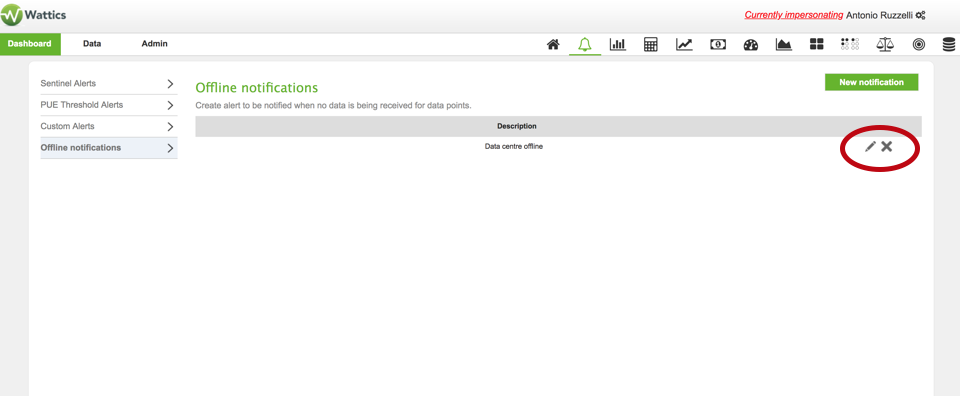

This posts documents how to use the “Offline meter” notification to be
alerted by email in case one or more of your meters are not sending data.
STEP 1:
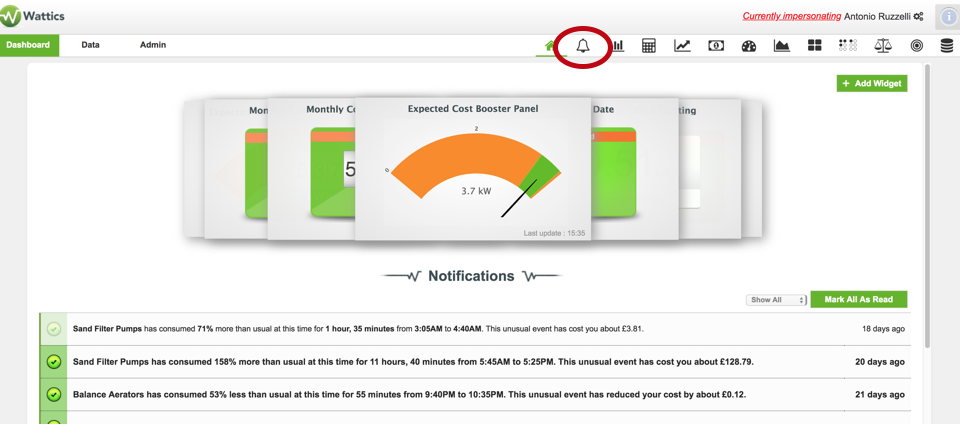
Log in to the dashboard and click on "bell" icon on main menu
tab.
STEP 2:
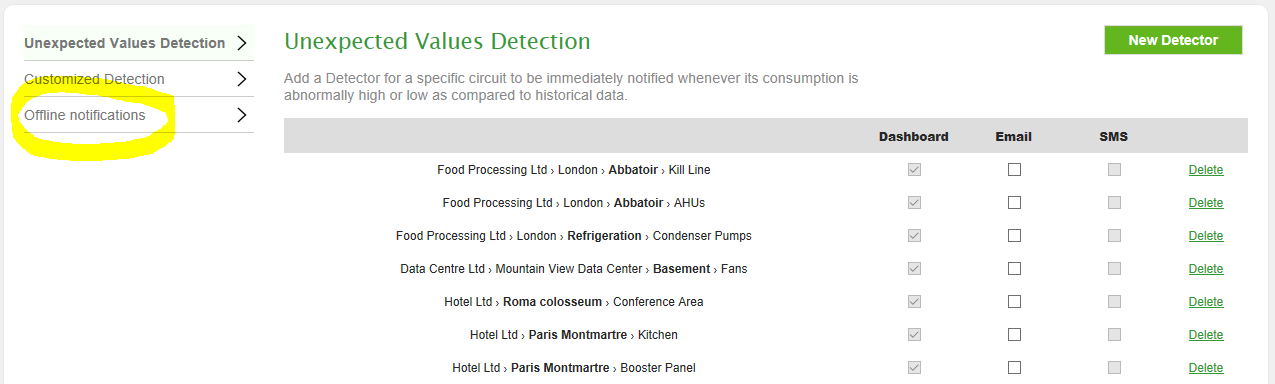
In the left-hand menu, click on Offline notifications.
STEP 3:
At the top right of the page, click on the New notification
button.

STEP 4:
Select the organisation, site or data point you want to be monitored.
Give a name that describes best that new notification. Enter the emails of the people that should
receive the email notifications (they do not necessarily need to have a AiElements account), and
choose when the email notification should be sent. Click on the Create button to save the
notification.
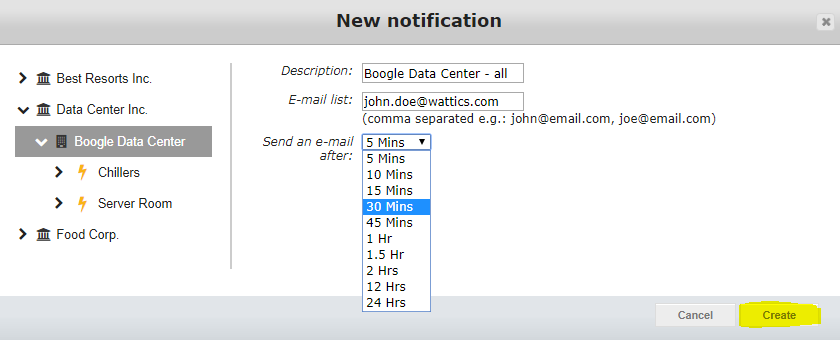
Selecting a parent entity, e.g. an entire organization or site, means that all data points below will be monitored, and that you will receive email notifications when any of them stops sending data.
STEP 5:
Your offline notification is now registered, you can add new ones for
other data points, delete existing ones.